Wild Turkey Game Check is a program designed to track wild turkey harvest information on a county-by-county basis. Wild Turkey Game Check is required by law and requires all hunters in Mississippi to report their harvest before 10 p.m. on the day of harvest.
Things to Know:

Before You Hunt:

Obtain any required hunting licenses and permits.

- Beginning with the 2026 Spring Turkey Season, the Mississippi Wild Turkey Stamp is required for all non-exempt hunters 16 years and older—residents and nonresidents—hunting wild turkeys in Mississippi, on both private and public lands. Learn more about the Wild Turkey Stamp and exemption requirements. 

Create an account in the MDWFP License System. Learn how to create an account

After You Harvest:

  1. No matter how you are submitting your report, the reporting process must begin before you move the turkey from its harvest location.

Reporting Your Harvest:

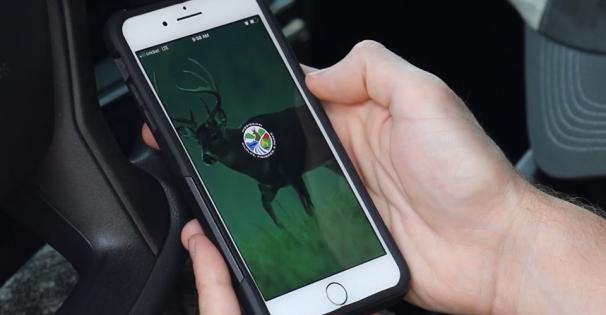
  1. All hunters are encouraged to complete Game Check using the MDWFP HuntFish app. For those who cannot, physical tags are available.
  2. There are three ways to submit your Game Check:
    1. Remotely through the MDWFP HuntFish Mobile App
    2. Online through the MDWFP License System
    3. By Phone through 1-800-BE-SMART

Once you complete the harvest-reporting process, you will receive a confirmation number. 

Game Check Instructions
Game Check is now tied to the Wild Turkey Stamp or the free Exempt Turkey Game Check privilege. When these are acquired, three Wild Turkey Game Checks will appear in your MDWFP mobile app account under "Licenses & Draw Applications," or under "My Purchases," if on the web within 48 hours. Click here for more information. 

Submitting Digital Game Check via MDWFP HuntFish App:

  1. Download the MDWFP HuntFish Mobile App and sign in.
    1. We recommend doing this prior to heading outdoors, especially if you are a first time user of the new HuntFish app and will require account setup.
  2. Access Digital Game Checks
    1. Once you've harvested a turkey, from the home screen of the MDWFP HuntFish App, tap the "Game Check" icon.
    2. Select the "Game Check" at the bottom of the screen.
    3. On the next screen, select a Game Check survey and fill it out.
    4. This muse be completed BEFORE moving the bird from the harvest location.
  3. Submitting a Game Check Without Internet Connection
    1. If you are in the field without service or an internet connection, you can still submit a Game Check.
    2. Complete the Game Check process, entering the required information.
    3. Tap "Save"—you will see a pending submission notice on your screen.
    4. Once your device regains service, open your app and verify that the survey shows as completed.
    5. This will validate your report, and you will receive a confirmation via email and in your app inbox.
  4. Review Submitted Surveys
    1. To view past submissions, tap the survey name to see all submitted entries.
    2. Once you've finished, tap back to return to the licensed Game Check view, then tap back again to return to the home screen. 

For Physical Tag Users:

If you choose to use physical tags, invalidate the physical tag by notching it and attach it to the turkey's leg before moving the bird. Hunters are required to report their harvest by 10:00 p.m. on the day of harvest. Reporting can be done via the website, or by calling 1-800-BE-SMART. Once completed, record your confirmation number on the tag. 

  • Submitting Game Check via Website:
  1. Sign in to the new MDWFP system.
    1. If you have not done so, please create a new account by following these instructions.
    2. You can access Game Check through our new License & Boating system.
  2. Access Game Check
    • On the landing page, click “Game Check” from the top menu bar.
    • On this screen, you will see options for “Available” and “Submitted” reports. On the “Available” tab you should see “Turkey Game Check” and a green button to “Report Game Check” on the right portion of the screen. Tap the “Report Game Check” button.
    • This will take you to a game check survey. Fill out the survey with the correct information and click “Next.” On the next screen, click “Save.”
    • A confirmation number will appear on the screen - record this number on your physical tag.
  3. Review Submitted Surveys
    • To view past submissions, tap the “Submitted” tab and survey name to see all submitted entries. 
  • Submitting Game Check via 1-800-BE-SMART:

Call 1-800-BE-SMART and be prepared to give the following information:

  1. Name
  2. Hunting License Number
  3. Address
  4. Phone Number
  5. Date of Harvest
  6. Beard Length
  7. Spur Length
  8. County of Harvest

Once completed, record your confirmation number on the physical tag. 

Download the MDWFP HuntFish App
Submit your Game Check quickly and conveniently through the new MDWFP HuntFish App!

More Information

App-Placeholder-Image

The Mississippi HuntFish app provides easy access to information and services such as a digital license display, regulations, season dates, game check, and much more.

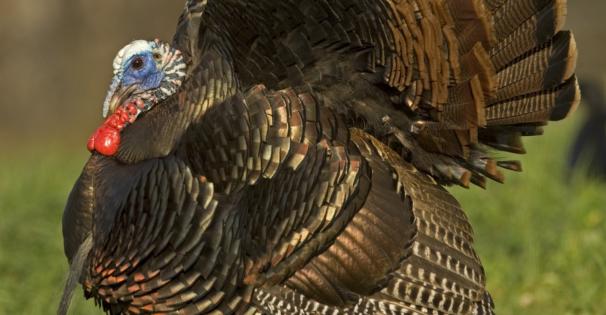
Eastern wild turkey

Over the last three decades, Mississippi has consistently boasted one of the largest turkey populations in the country. The MDWFP Wild Turkey Program is dedicated to the conservation and management of wild turkeys throughout the state.