
White-Tailed Deer Game Check is a program designed to track harvest information on a county-by-county basis. Deer Game Check is voluntary with the exception of the Velvet Season, which requires all harvests to be reported by 10 p.m. the day of harvest. By reporting your deer harvests, you will aid the future of wildlife conservation in Mississippi. 
Things to Know

Before You Hunt:

  1. Obtain any required hunting licenses and permits.
  2. Create an account in the MDWFP License System. Learn how to create an account

There are two ways to submit your Game Check:

  1. Online through the MDWFP License System
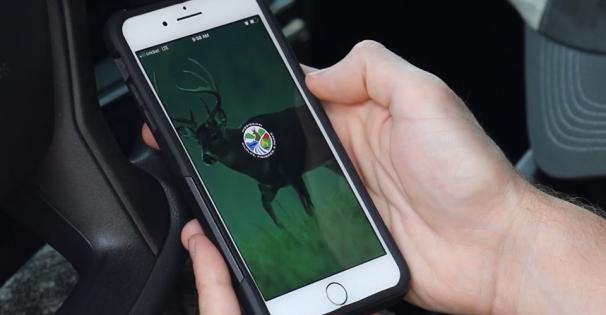
  2. Remotely through the MDWFP HuntFish Mobile App

Once you complete the harvest-reporting process, you will receive a confirmation number via email.

Game Check Instructions

Submitting Game Check via Website:

  1. Sign in to the new MDWFP licensing system
  2. Access Game Check
    • On the landing page, click “Game Check” from the top menu bar. It will be highlighted in gold.
    • On this screen, you will see options for “Available” and “Submitted” reports. On the “Available” tab you should see “Deer Game Check” and a green button to “Report Game Check” on the right portion of the screen. Tap the “Report Game Check” button.
    • This will take you to a game check survey. Fill out the survey with the correct information and click “Next.” On the next screen, click “Save.”
    • A confirmation number will appear on the screen - record this number for your records
  3. Review Submitted Surveys
    • To view past submissions, tap the “Submitted” tab and survey name to see all submitted entries.

Submitting Game Check via MDWFP HuntFish App:

  1. Download the MDWFP HuntFish Mobile App and sign in.
    1. We recommend doing this prior to heading outdoors, especially if you are a first time user of the new HuntFish app and will require account setup.
  2. Access Game Check
    • From the home screen, tap the “Game Check” icon.
    • Select “Game Check” at the bottom of the screen. 
    • On the next screen, select a Deer Game Check survey and fill it out.
  3. Submitting a Game Check Without Internet Connection
    • If you are in the field without service or an internet connection, you can still submit a Game Check.
    • Complete the game check process, entering the required information.
    • Tap “Save”—you will see a pending submission notice on your screen.
    • Once your device regains service, open your app and verify that the survey shows as completed.
    • This will validate your report, and you will receive a confirmation via email and in your app inbox.
  4. Review Submitted Surveys
    1. From the HuntFish Mobile App home screen, tap the “Game Check” icon.
    2. Select “Game Check” at the bottom of the screen. 
    3. Select "Submitted" then tap the survey name to see all submitted entries for that Game Check type.
    4. Once you've finished, tap back to return to the licensed Game Check view, then tap back again to return to the home screen. 
Download the MDWFP HuntFish App
Submit your Game Check quickly and conveniently through the new MDWFP HuntFish App!

More Information

App-Placeholder-Image

The Mississippi HuntFish app provides easy access to information and services such as a digital license display, regulations, season dates, game check, and much more.

White-tailed deer - Photo by Monita McCool

The MDWFP White-tailed Deer Program's goal is to provide a quality white-tailed deer population statewide and offer maximum outdoor recreational opportunity to the public without negatively affecting the resource.